iCloud Mail is Apple’s email service. It comes with every Apple ID. Many people use it on iPhone, iPad, Mac, and Windows. I use iCloud Mail to keep personal and work emails in one safe place. It syncs across devices. That means you can read an email on your phone and reply on your laptop. This guide explains everything in easy words. You will learn how to use iCloud Mail, how to sign in, and how to fix issues when iCloud Mail is not working.
What Is iCloud Mail and Why People Love It
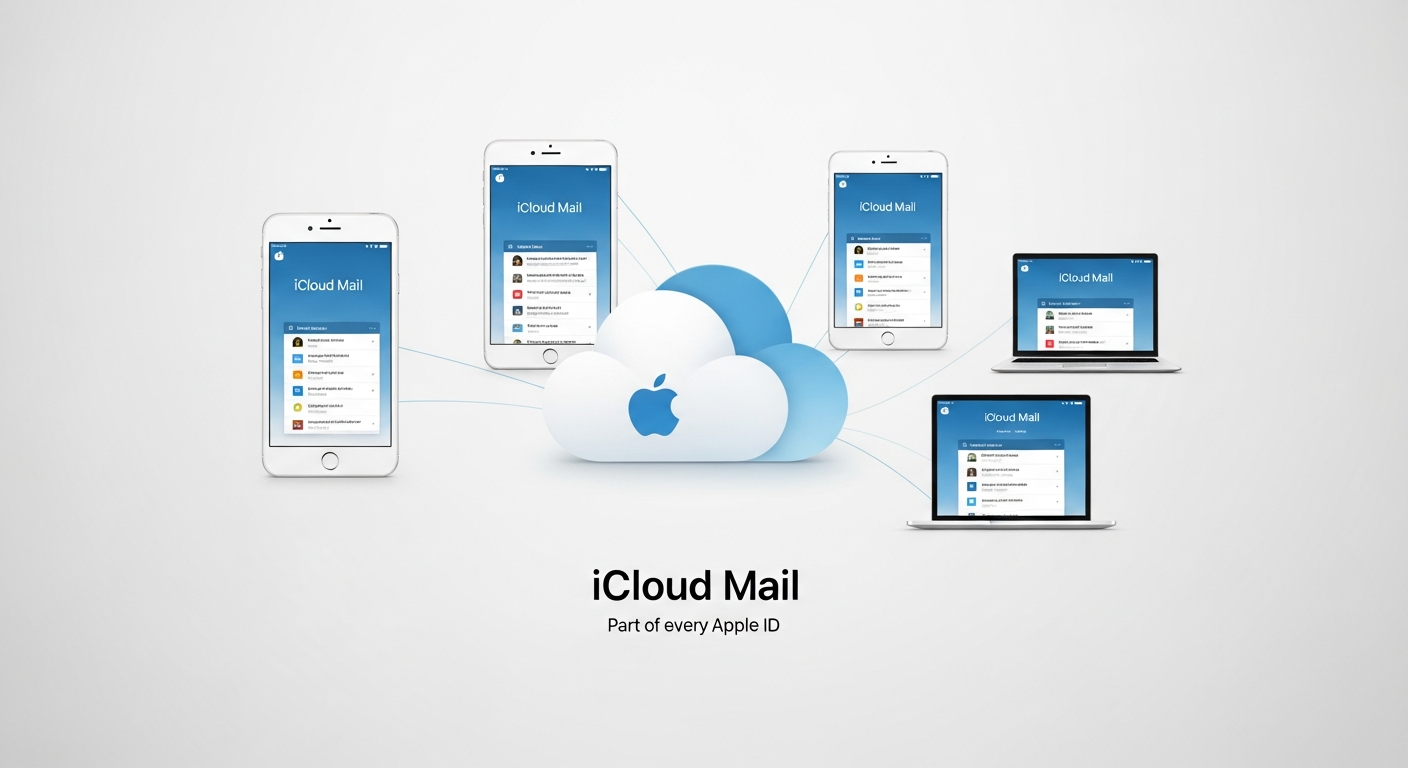
iCloud Mail is a free email service from Apple. It works with your Apple ID. You get an @icloud.com email address. The best part is sync. Your emails, folders, and contacts stay the same on all devices. I like how clean and simple it looks. There are no ads in the inbox. Apple also focuses on privacy, so your data stays safer. You can use iCloud Mail on a browser too. This makes it useful even if you do not have your Apple device nearby.
How iCloud Mail Login Works
iCloud Mail login is simple. You need an Apple ID and password. Go to iCloud.com and click Mail. Enter your email and password. If you use two-factor authentication, you must enter a code. This keeps your account safe. On iPhone or Mac, you sign in through device settings. After login, your inbox appears. You can send and receive messages right away. Always log out on public computers to protect your account.
Step-by-Step iCloud Mail Sign In on Devices
iCloud Mail sign in is different on each device, but the idea is the same. On iPhone, open Settings and tap your name. Turn on Mail in iCloud settings. On Mac, open System Settings and sign in with Apple ID. On Windows, install iCloud for Windows and sign in. After sign in, your emails sync automatically. I like how fast it works. You do not need to refresh manually. Everything updates in seconds.
Common Reasons iCloud Mail Is Not Working
Sometimes iCloud Mail not working can be frustrating. Common causes include wrong password, poor internet, or Apple server issues. I once had a problem because my storage was full. When storage is full, new emails stop coming. Another reason is outdated software. Always update your device. If iCloud Mail not working in browser, try clearing cache or using another browser.
Easy Fixes When iCloud Mail Not Working
Here are simple fixes. First, check your internet. Then, restart your device. Sign out and sign in again. Check Apple’s system status page to see if servers are down. Free up storage by deleting old files. Reset your password if login fails. These steps solve most problems. I fixed my issue in minutes using these tips.
| Profile | Feature | Details |
|---|---|---|
|
Service Name | iCloud Mail |
| Developed By | Apple Inc. | |
| Launch Year | 2011 | |
| Platforms | iPhone, iPad, Mac, Windows, Web | |
| Free Storage | 5 GB (Shared with iCloud) | |
| Security | Encryption, Two-Factor Authentication | |
| Main Purpose | Email Sending & Receiving | |
| Popular Users | Apple Device Users Worldwide |
Security and Privacy in iCloud Mail
Apple takes security seriously. iCloud Mail uses encryption. Two-factor authentication adds extra protection. You can also create app-specific passwords. This is helpful for third-party apps. I recommend turning on all security features. It keeps hackers away. Never share your login details. Apple never asks for passwords by email.
Benefits of Using iCloud Mail Every Day
iCloud Mail is clean, fast, and ad-free. It syncs across devices. It works well with Apple apps like Contacts and Calendar. You can create folders and rules to organize emails. I use rules to sort work and personal emails. This saves time. You also get spam filtering, which keeps your inbox clean.
iCloud Mail vs Other Email Services
iCloud Mail is great for Apple users. Gmail and Outlook are popular too. Gmail offers more storage. Outlook is good for business. But iCloud Mail stands out for privacy and Apple integration. If you use iPhone or Mac, it feels natural. I prefer it for personal use and Gmail for work.
Tips to Use iCloud Mail Like a Pro
Use folders to organize emails. Set up filters for important messages. Turn on notifications for VIP contacts. Use aliases to hide your real email. Clean your inbox weekly. These tips make iCloud Mail easy and fast. I also back up important emails to keep them safe.
Future of iCloud Mail and Apple Email Services
Apple keeps improving iCloud Mail. New features come with iOS and macOS updates. Better spam filters and privacy tools are expected. Apple focuses on user privacy, which is important today. I believe iCloud Mail will become more powerful and popular in the future.
(FAQs)
1. Is iCloud Mail free to use?
Yes, iCloud Mail is free with an Apple ID. You get 5 GB storage shared with iCloud. You can buy more storage if needed.
2. How do I recover my iCloud Mail account?
Go to iforgot.apple.com and reset your password. Follow the steps to verify your identity.
3. Why is my iCloud Mail not working on iPhone?
Check internet, storage, and iCloud settings. Restart your device and sign in again if needed.
4. Can I use iCloud Mail on Windows?
Yes, download iCloud for Windows. Sign in with Apple ID and enable Mail sync.
5. Is iCloud Mail safe for business emails?
It is secure, but Gmail or Outlook may offer more business tools. iCloud Mail is great for personal and small use.
6. How do I create an iCloud email address?
Create an Apple ID and turn on Mail in iCloud settings. Choose your @icloud.com address.
Conclusion
iCloud Mail is a simple, secure, and powerful email service. It works best for Apple users. You learned how iCloud Mail login works, how to sign in, and how to fix problems when iCloud Mail not working. With good security and clean design, it is a great choice for daily email. Try using folders, rules, and aliases to improve your experience. If you found this guide helpful, share it with friends and explore more Apple tips to stay productive and safe online.
Related Post: Fibertel OnThisVerySpot